Analytics for Small Teams: Best Tools and Setup (2026)
Small teams can run analytics without a dedicated data engineer by choosing tools that connect directly to their data sources and let anyone on the team ask a question and get an answer. The key is avoiding platforms that require ETL pipelines, semantic layer setup, or SQL expertise before anyone can get value from data: those are built for teams with data infrastructure, not teams without it.
Quick Summary (TL;DR)
The biggest analytics bottleneck for small teams is not missing data: it's needing an engineer to write a query every time someone wants an answer.
Tools that require ETL pipelines, data warehouses, or semantic layer modeling add weeks of setup before the first dashboard is live. Small teams should avoid these unless they have dedicated data engineering resources.
The best setup for a small team: a tool that connects directly to the data source, answers questions without SQL, and generates queries and dashboards automatically.
AI-powered analytics platforms with native database connectivity can replace the "ask an engineer" workflow entirely for most operational questions.
For teams on MongoDB, Elasticsearch, or mixed data stacks, native NoSQL connectivity eliminates the ETL step that blocks most BI tools from working at all.
Why Standard BI Tools Don't Work for Small Teams
Most enterprise BI tools are designed for teams with data engineers. Tableau, Power BI, ThoughtSpot, and Looker all have one thing in common: before anyone can ask a question or build a dashboard, the data must be modeled, cleaned, and loaded into a warehouse or semantic layer. That process takes weeks and requires ongoing maintenance by someone who knows SQL and data architecture.
Small teams don't have that. A five-person SaaS startup, a two-person ops team at a mid-market company, or a founder who wants to understand their own data doesn't have a data engineer on call. They have a database, a spreadsheet, maybe an API, and a question they need answered this week. Standard enterprise BI tools create more work before they solve any.
The second problem is the ongoing maintenance tax. Even after setup, traditional BI requires a human to write new queries every time the business asks a new question. That bottleneck doesn't scale. Every request goes into a backlog. By the time it's answered, the decision it was supposed to inform has already been made. Understanding the difference between agentic BI and traditional BI is useful here: the architectural gap determines whether a small team can actually skip the engineer or just delays the inevitable.
What Small Teams Actually Need
Direct database connectivity
The tool should connect to wherever data already lives: MongoDB, PostgreSQL, MySQL, Elasticsearch, a REST API, a spreadsheet. A tool that requires first moving data into a new warehouse adds a step that either needs engineering resources or introduces a sync lag that makes answers stale. Direct connectivity means the data stays where it is and queries go to the source.
Natural language querying
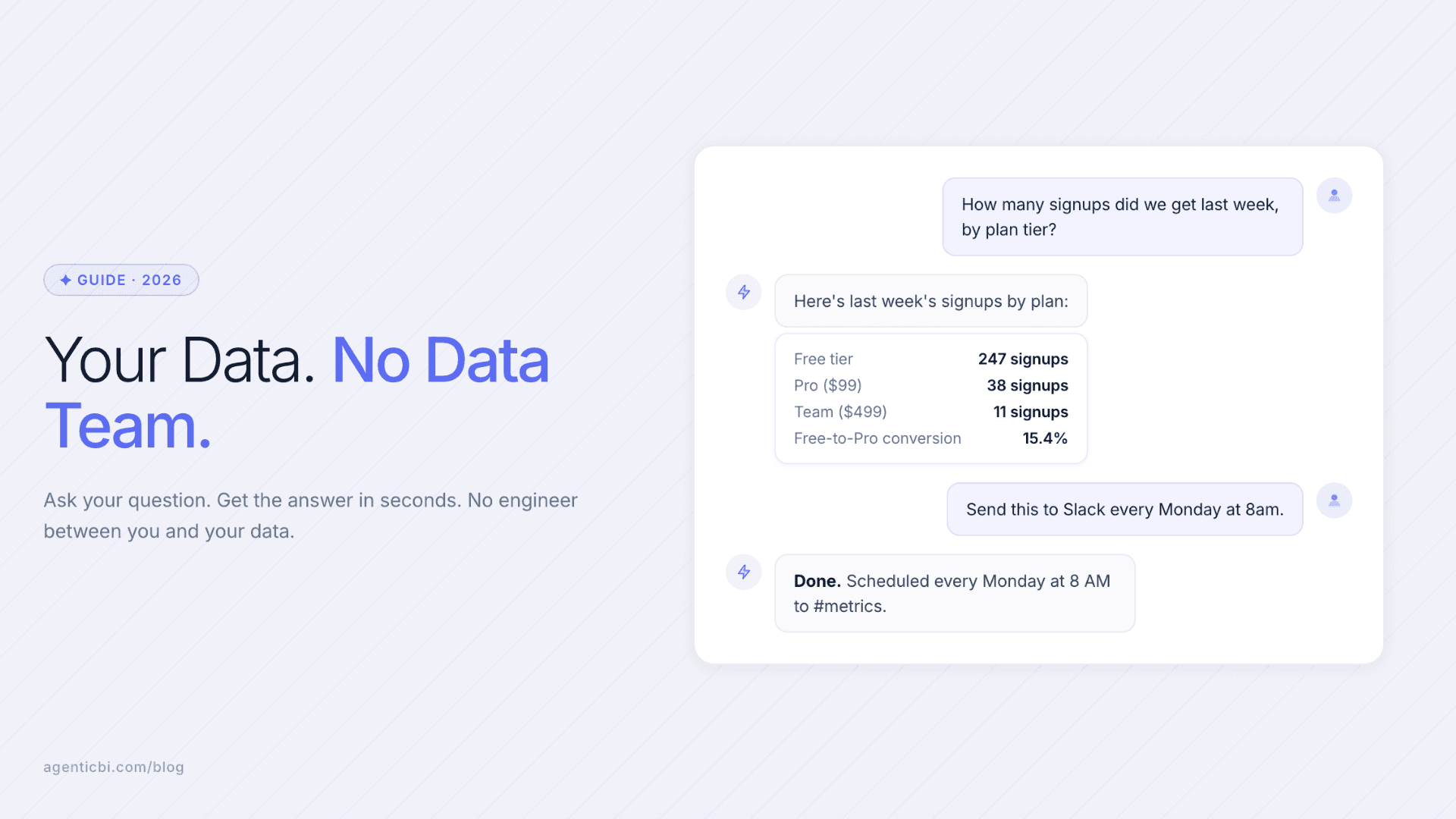
A founder, a product manager, a customer success lead: anyone on the team should be able to ask questions without writing SQL. "How many customers signed up last week by plan tier?" should return an answer, not an error. Natural language querying works best when the AI has access to the actual schema rather than working from pre-built dashboards alone.
Automated delivery
For recurring questions: weekly revenue, daily signups, monthly churn. A small team shouldn't be re-running the same query manually. Automated report delivery on a schedule removes the recurring operational task from whoever handles it today. Dashboard agents that build and update reports automatically go further: when the underlying data changes, the dashboard updates without manual intervention.
No-code dashboard creation
Building dashboards should take minutes, not a sprint. Drag-and-drop builders or AI-generated dashboards from a prompt allow non-engineers to create and modify visualizations without filing a ticket. The best tools let a product manager spin up a new dashboard in the same session they first identify the question.
No data team? No problem. Start free at AgenticBI.com: connect your data, ask questions, get dashboards.
Best Analytics Tools for Small Teams in 2026
Tool | Best For | Setup Time | SQL Required | NoSQL Native |
|---|---|---|---|---|
AgenticBI | Teams without a data engineer, mixed data sources | Under 30 min | No | Yes |
Metabase | SQL-comfortable small teams on relational databases | 1-2 hours | Helpful | No |
Google Looker Studio | Teams in the Google ecosystem with Google Sheets or BigQuery | 1-2 hours | For advanced use | No |
Power BI Desktop | Microsoft-centric teams with Excel-heavy workflows | Half day | For most use cases | No |
Tableau Public | Teams with clean flat data needing strong visualizations | Half day | For most use cases | No |
How to Set Up Analytics for a Small Team (Step by Step)
Step 1: Identify where your data actually lives
Before evaluating any tool, list your data sources: which databases, which APIs, which spreadsheets. If you're on MongoDB or Elasticsearch, that immediately narrows the field: most tools require ETL before they can query those. If you're on PostgreSQL or MySQL with clean, flat tables, more options work out of the box.
Step 2: Define the top 5 questions your team asks repeatedly
Most small teams have a handful of questions that get asked weekly: revenue by channel, signups by plan, support tickets by category. Defining these up front tells you exactly what the tool needs to answer and makes the evaluation process concrete. Pick a tool that can answer these 5 questions on day one, not in theory after setup.
Step 3: Prioritize time-to-first-answer over feature count
A tool that takes three weeks to configure and delivers the first dashboard at week four is not useful to a small team. Prioritize how quickly you can connect your data source and get an answer to question one. If setup requires modeling, ETL pipelines, or schema mapping before the first query works, that tool is not built for your team size.
Step 4: Set up automated delivery for recurring reports
Once the core dashboards are built, remove the manual step. Schedule reports to deliver to Slack or email on the cadence the team actually uses. Data agents that handle this automatically mean no one needs to remember to pull the numbers before the Monday standup. The report is there before anyone asks.
Step 5: Add new questions incrementally
Start with the five core questions, get those working well, then add more. Small teams that try to build a comprehensive data warehouse and model everything before using the tool end up in a months-long project that serves no one. Get value from the first week, then expand from there.
No data team? No problem. Start free at AgenticBI.com: connect your data, ask questions, get dashboards.
Frequently Asked Questions
What is the easiest analytics tool for a small team?
The easiest tools are those that connect directly to your data source and answer questions without requiring SQL or data modeling. The right answer depends on where your data lives: teams on MongoDB or Elasticsearch need a tool with native NoSQL support, while teams on standard SQL databases have more options.
Can a small team run analytics without a data engineer?
Yes, with the right tool. Platforms where you type a question and get an answer, connect directly to source databases, and deliver automated reports remove the engineering bottleneck for most operational analytics questions. A data engineer is still valuable for complex modeling and governance, but not required for day-to-day analytics on a small team.
What analytics setup works for a 5-person startup?
Connect your primary data source directly to an AI-powered analytics tool, define the 5 metrics that matter most, build dashboards for those, and set up automated weekly delivery to Slack or email. The entire setup should take under a day. Avoid tools that require a data warehouse or ETL pipeline before the first query works.
Do small teams need a data warehouse?
Not necessarily. A data warehouse is most useful when you need to consolidate many data sources into one place for complex modeling. If your data lives in one or two sources and you need operational dashboards and answers to recurring questions, a tool with native database connectivity skips the warehouse entirely.
How do I choose between Metabase, Looker Studio, and AgenticBI for a small team?
Metabase works well for SQL-comfortable teams on relational databases who want a clean open-source option. Looker Studio is best if your data is already in BigQuery or Google Sheets and you need free reporting. AgenticBI is the better fit for teams that want AI agents to handle the querying and dashboard creation entirely, especially on NoSQL or mixed data stacks.
What is the fastest way to get a dashboard from my database without SQL?
Connect your database to an AI-powered analytics tool. Describe the dashboard you want in a sentence, and the tool generates the query and visualization. For teams on MongoDB or Elasticsearch, verify native connectivity first: most tools require moving data to SQL before this works.
Related Reading
Dashboard Without SQL: Three Ways to Build Visualizations from Your Data
Analytics Without a Data Warehouse: How to Query Across Sources Directly
Try AgenticBI
The AI data analyst for teams without a data team
Your numbers live in your database, your tools, and a dozen spreadsheet tabs, each telling a slightly different story. AgenticBI connects to all of them, runs the query, and hands back one answer. You ask in your own words. Agents do the analysis. And it can run on its own AI, so your data never leaves for a third party.
What you can do with AgenticBI:
Free to start. Your data can stay yours, nothing goes to OpenAI or any outside model.
Learn more
Discover more from the latest posts.


